SFPCSS
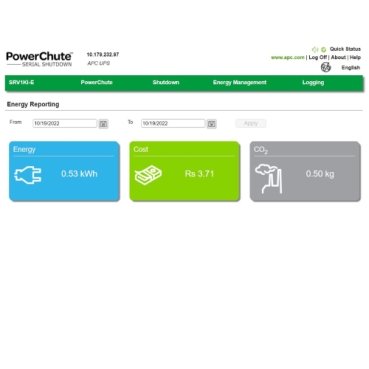
What is PowerChute Serial Software? PowerChute Serial Shutdown is a software agent designed to safeguard critical devices in home, home office and small to medium-sized business environments during power events. It ensures desktops and servers are shut down automatically and safely, protecting personal and professional data. The software delivers a modern, secure user experience and is compatible with Back-UPS, Smart-UPS, and Easy UPS Online models. Who needs PowerChute Serial Software? PowerChute Serial Shutdown is intended for home users, offices, and small to medium-sized businesses that depend on technology to safeguard their critical devices. Why is PowerChute Serial Shutdown essential for home and office users? PowerChute Serial Shutdown is essential for home and office users because it keeps critical devices protected during power events. It helps maintain system connectivity, safeguards personal and professional data, and extends the lifespan of high-performance PCs by ensuring safe and unattended shutdowns. What do I need to use PowerChute Serial Shutdown? PowerChute Serial Shutdown works with Back UPS, Smart UPS, and Easy UPS Online (3 kVA and below). It requires a serial or USB cable connection between the UPS and the protected desktop or server. How do I use PowerChute Serial Shutdown? You can use PowerChute Serial Shutdown by first downloading and installing the version that matches your environment, whether it is Windows or Linux. After installation, the PowerChute agent must be configured using the setup wizard to safeguard your desktop or server. How does PowerChute Serial Shutdown enable SmartConnect monitoring? PowerChute Serial Shutdown v1.6 or later enables a compatible UPS to connect to SmartConnect for remote monitoring through PowerChute Link on a Windows computer. It links a USB‑connected UPS to the SmartConnect portal, providing real-time visibility into power conditions, UPS status, and system health from anywhere. This integration offers simple, remote monitoring and is ideal for kiosks, POS systems, and self‑service terminals that require reliable off-site visibility.
What is PowerChute Serial Software? PowerChute Serial Shutdown is a software agent designed to safeguard critical devices in home, home office and small to medium-sized business environments during power events. It ensures desktops and servers are shut down automatically and safely, protecting personal and professional data. The software delivers a modern, secure user experience and is compatible with Back-UPS, Smart-UPS, and Easy UPS Online models. Who needs PowerChute Serial Software? PowerChute Serial Shutdown is intended for home users, offices, and small to medium-sized businesses that depend on technology to safeguard their critical devices. Why is PowerChute Serial Shutdown essential for home and office users? PowerChute Serial Shutdown is essential for home and office users because it keeps critical devices protected during power events. It helps maintain system connectivity, safeguards personal and professional data, and extends the lifespan of high-performance PCs by ensuring safe and unattended shutdowns. What do I need to use PowerChute Serial Shutdown? PowerChute Serial Shutdown works with Back UPS, Smart UPS, and Easy UPS Online (3 kVA and below). It requires a serial or USB cable connection between the UPS and the protected desktop or server. How do I use PowerChute Serial Shutdown? You can use PowerChute Serial Shutdown by first downloading and installing the version that matches your environment, whether it is Windows or Linux. After installation, the PowerChute agent must be configured using the setup wizard to safeguard your desktop or server. How does PowerChute Serial Shutdown enable SmartConnect monitoring? PowerChute Serial Shutdown v1.6 or later enables a compatible UPS to connect to SmartConnect for remote monitoring through PowerChute Link on a Windows computer. It links a USB‑connected UPS to the SmartConnect portal, providing real-time visibility into power conditions, UPS status, and system health from anywhere. This integration offers simple, remote monitoring and is ideal for kiosks, POS systems, and self‑service terminals that require reliable off-site visibility.
| Brand | Schneider Electric |
| Lifecycle status | active |